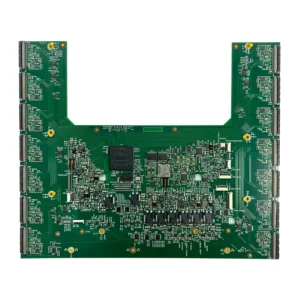
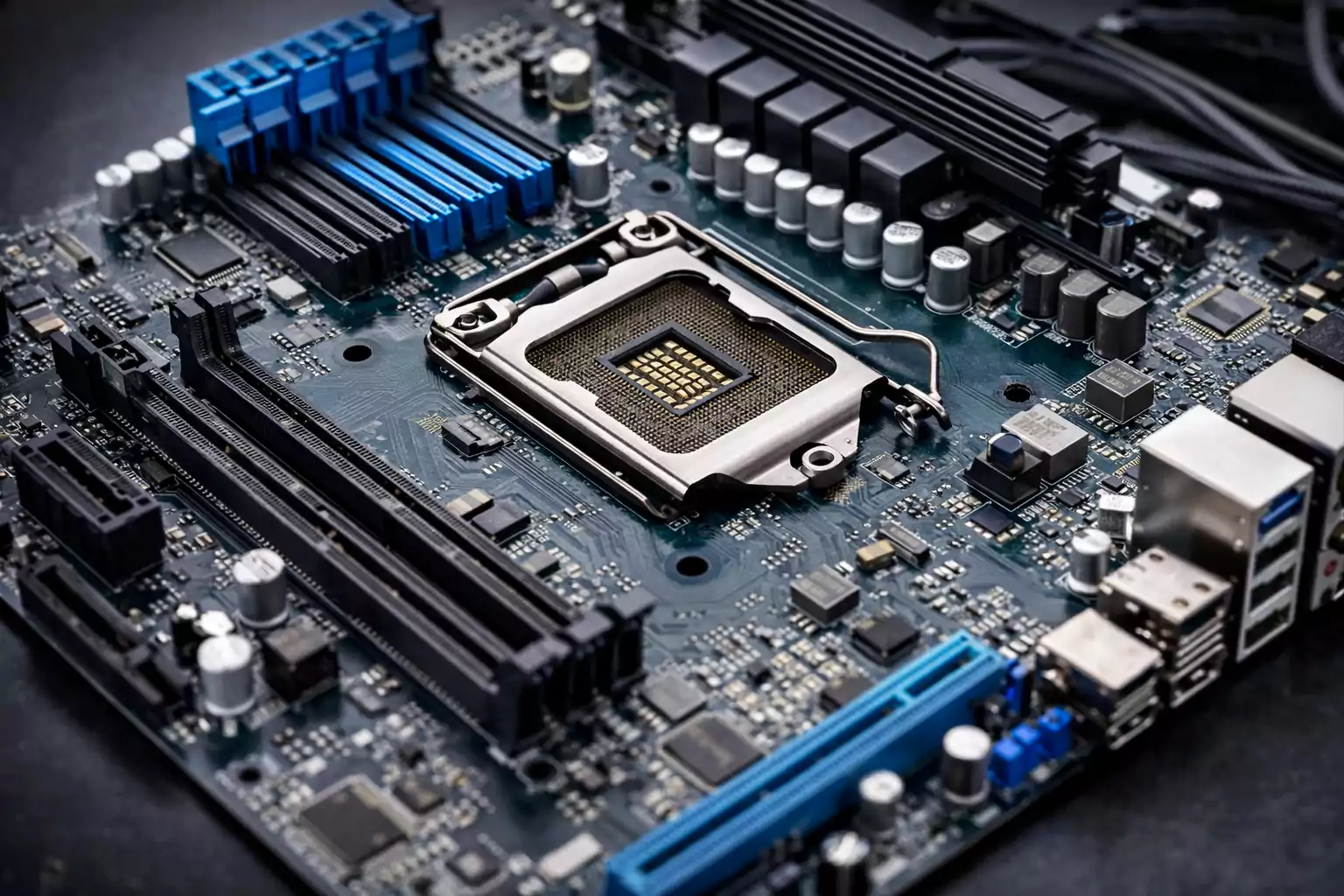
Search for “motherboard PCB,” and one point becomes clear: the term is often misunderstood. A motherboard is not just any circuit board. It is a specialized, highly integrated printed circuit board designed to serve as the central hub of a computer or embedded system.
At the most basic level, the PCB provides the board’s physical structure and electrical pathways. The motherboard builds on that foundation by integrating the interfaces, power distribution, and control functions needed to connect components such as the CPU, memory, storage, and expansion devices.
In simple terms, every motherboard is PCB-based, but not every PCB is a motherboard. This distinction is essential for understanding how motherboard design differs from standard circuit board design. The sections below explain what a motherboard PCB is, how it compares with a regular PCB or PCBA, and why its design is significantly more complex.
Quick Answer: Is a Motherboard a PCB?
Technically, yes. Practically, not exactly.
At its core, a motherboard relies on a printed circuit board. That PCB provides the physical structure and copper pathways needed to connect components electrically.
However, the word “PCB” describes the board itself. The word “motherboard” describes a finished system-level board built on top of that structure.
Think of it this way:
- PCB = the foundational board
- Motherboard = the complete, assembled main board built on that PCB
So when someone asks whether a motherboard is a PCB, the most accurate answer is this: it’s a specialized, highly integrated PCB-based assembly designed to act as the central hub of a system.
What Is PCB on a Motherboard?
When people ask, “What is the PCB on a motherboard?” they’re really asking what part of the motherboard is the actual board.
That board is far more than a flat green plate.
Multiple layers of material are bonded together to create a rigid structure capable of carrying power and high-speed signals. Key elements include:
- Insulating substrate material (commonly FR4 fiberglass)
- Copper layers for signal and power routing
- Traces that connect components
- Pads for soldering chips and connectors
- Vias that connect different layers
- Solder mask to prevent short circuits
- Silkscreen markings for labeling
Everything mounted on a motherboard—CPU socket, RAM slots, chipset, storage connectors, expansion interfaces—depends on this PCB structure to function.
Without it, components would have no reliable way to communicate or receive power. In simple terms, the PCB is the foundation that enables the motherboard.
PCB vs Motherboard vs PCBA
Confusion often comes from mixing up three related terms: PCB, PCBA, and motherboard.
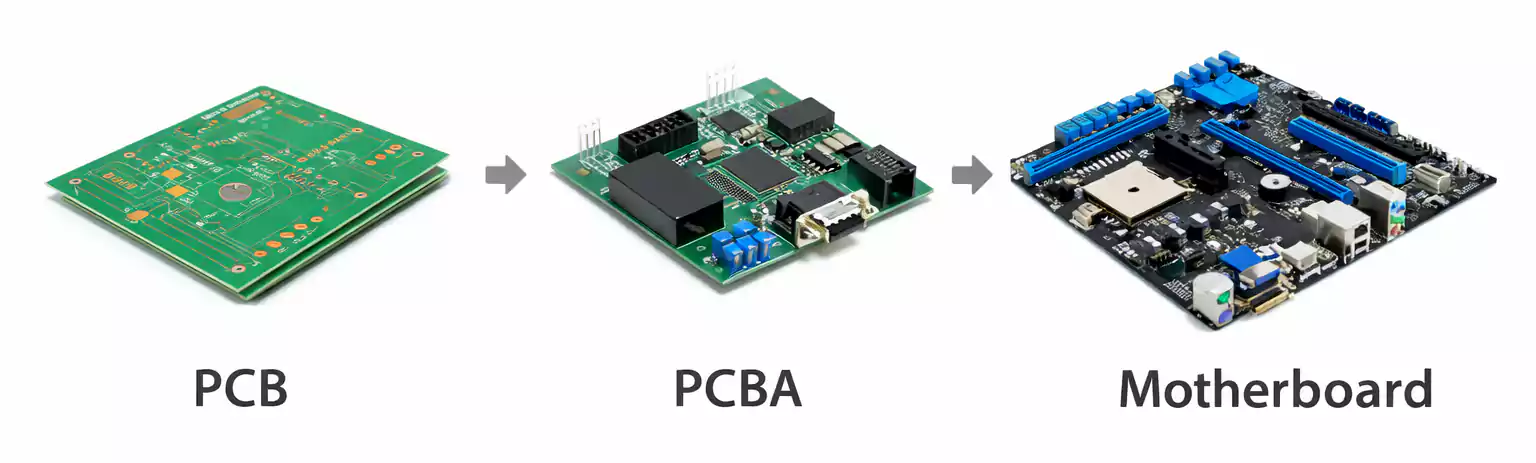
Each refers to a different stage or level of complexity.
1. PCB (Printed Circuit Board)
This is the physical board with copper traces and insulating material. It may be bare or unassembled.
2. PCBA (Printed Circuit Board Assembly)
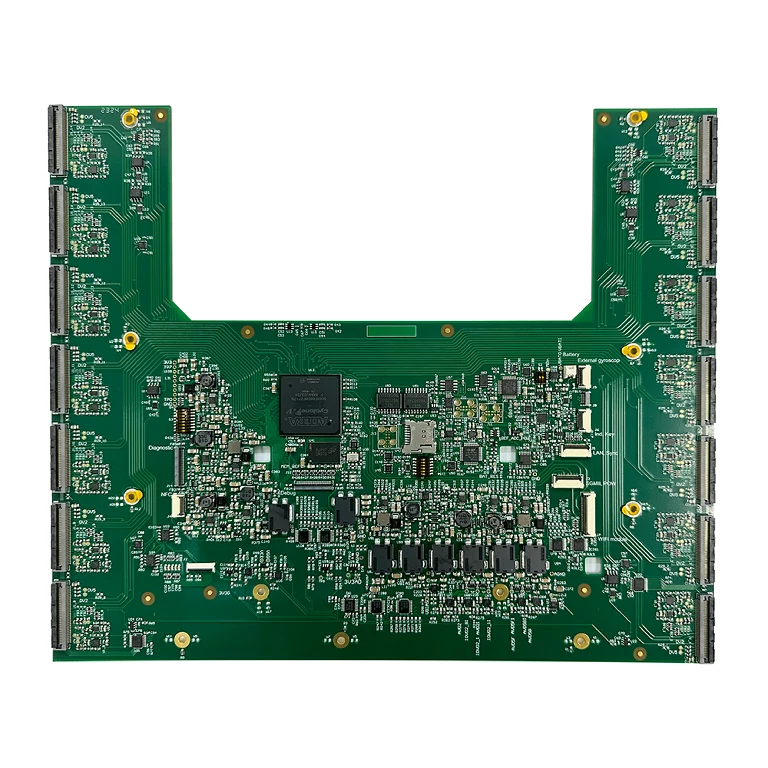
Once components are soldered onto the PCB, it becomes a PCBA. Chips, connectors, resistors, capacitors, and other components are installed and tested.
3. Motherboard
Not just any PCBA qualifies as a motherboard. This term refers specifically to the primary board that connects and coordinates a system’s central components.
Here’s a simple hierarchy:
- PCB = board
- PCBA = assembled board
- Motherboard = system-level PCBA
Plenty of electronic products use PCBAs—power supplies, LED drivers, controllers, sensor modules—but those boards do not serve as the main platform of an entire computing system.
Main Parts of a Motherboard PCB
Unlike simple control boards, motherboard PCBs must support multiple subsystems simultaneously. Each section plays a specific role in the overall system operation.
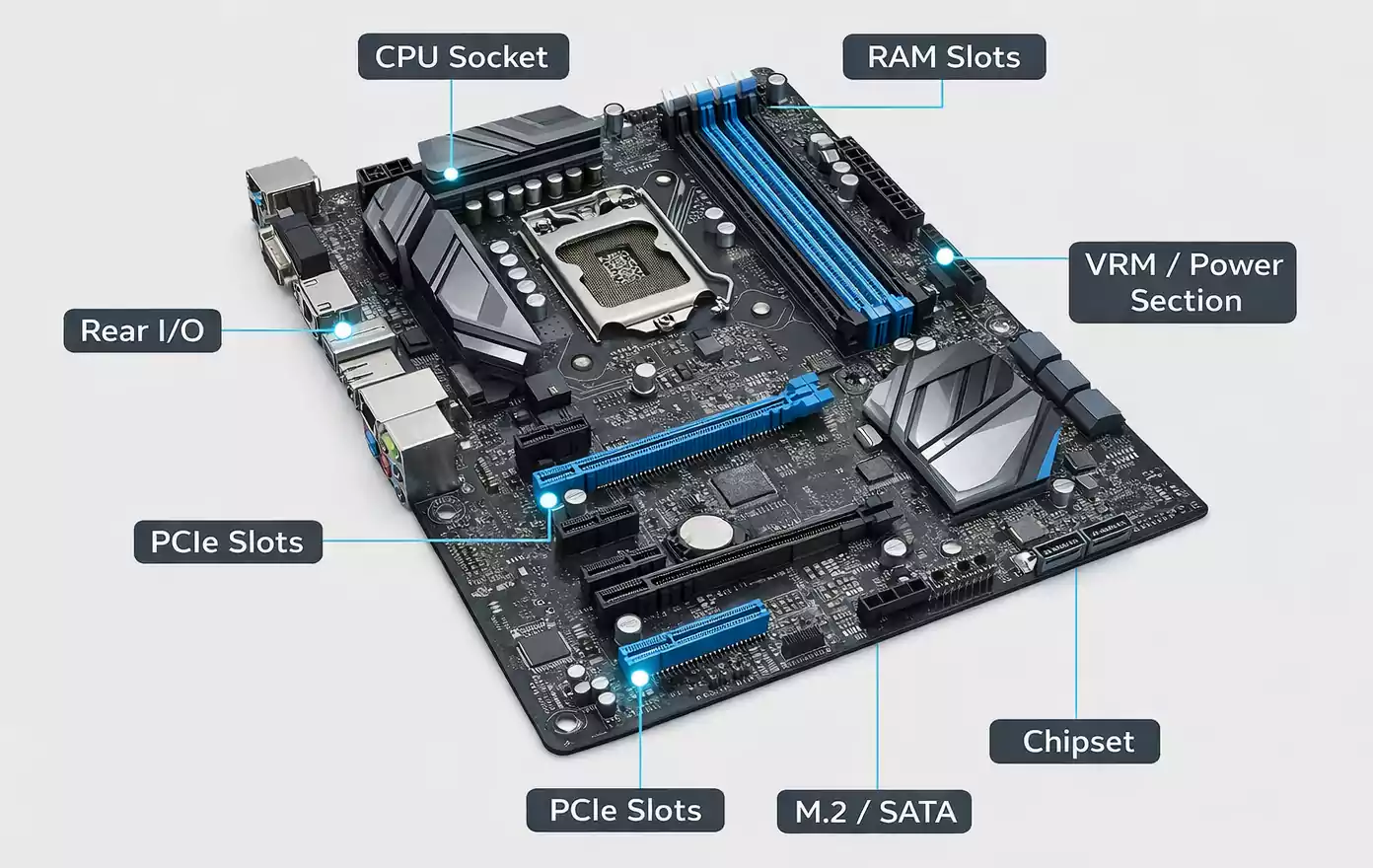
1. CPU Socket
This area connects the processor to the board. High-speed signal routing, stable power delivery, and precise mechanical alignment are all critical here.
2. Memory (DIMM) Slots
RAM slots connect memory modules to the processor. Since memory operates at high speeds, trace length and impedance must be carefully managed.
3. Chipset or Controller Logic
Depending on the platform, some control functions reside in a separate chipset. Other architectures integrate more functionality directly into the CPU.
4. PCIe Expansion Slots
Graphics cards, networking cards, and other expansion devices rely on PCIe interfaces. These high-speed lanes demand careful PCB layout.
5. Storage Interfaces
SATA ports and M.2 connectors link storage devices such as SSDs. Both mechanical strength and signal quality matter in this area.
6. Rear I/O and Internal Headers
USB ports, Ethernet, audio connectors, display outputs, and fan headers are all routed through the motherboard PCB.
7. Power Management (VRM)
Voltage regulator modules convert input power into stable voltages required by the processor and memory. Poor design here can cause instability or overheating.
Altogether, these sections show how a motherboard functions as an integrated infrastructure platform rather than a single-purpose board.
Why a Motherboard PCB Is More Complex Than a Regular Circuit Board
Not all PCBs are created equal. Compared to a basic circuit board, a motherboard PCB must handle far more demanding conditions.
- More Layers
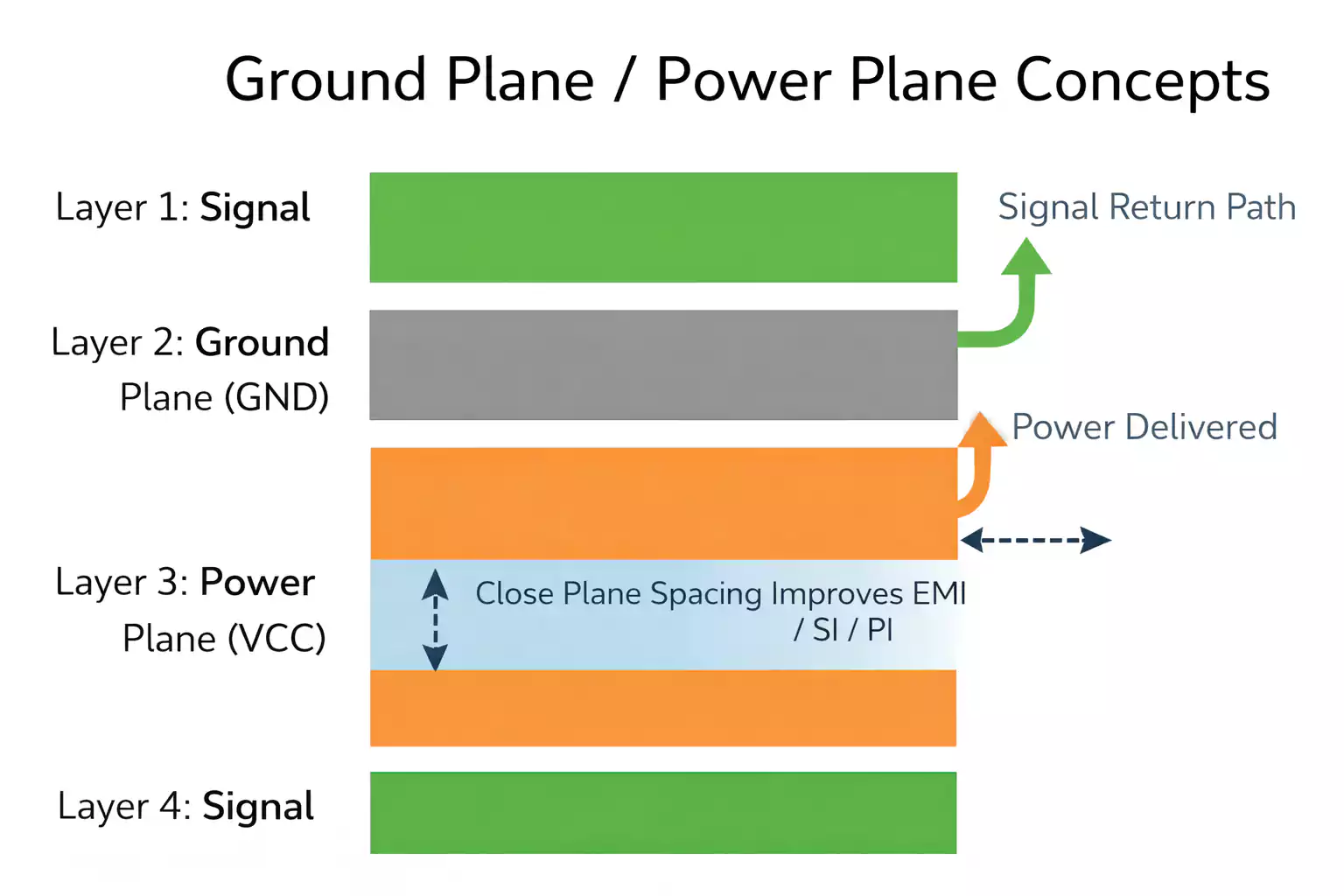
Simple PCBs might use two layers. Motherboards often use multiple internal layers for power and ground planes and for controlled routing. - Higher Component Density
Space constraints force designers to pack connectors, sockets, chips, and power circuits into a limited area on the board. - High-Speed Interfaces
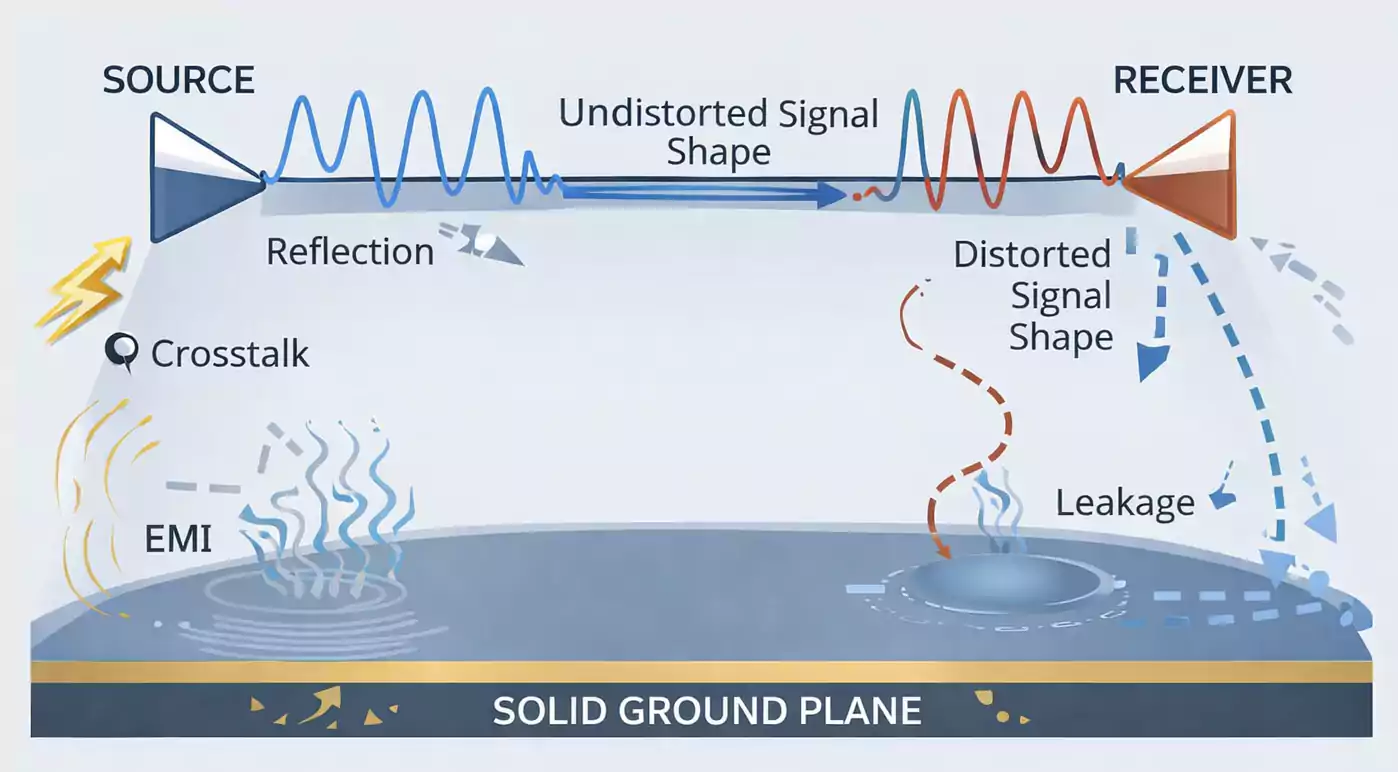
PCIe, USB, SATA, and memory buses operate at extremely high speeds. Maintaining signal integrity becomes essential. - Complex Power Distribution
Modern processors require multiple voltage rails with tight regulation and fast transient response. - Thermal Considerations
Heavy processing loads generate significant heat. Copper distribution and layout affect cooling efficiency. - EMI and Noise Control
Grounding strategies and return paths must be carefully designed to minimize interference.
Because of these factors, motherboard PCBs are among the most complex PCB designs used in consumer and industrial electronics.
How Motherboard PCB Design Affects Performance
Board design influences more than just layout aesthetics. Performance and reliability depend heavily on PCB quality.
- Signal integrity plays a major role. Poor routing can cause reflections, data errors, or reduced system stability.
- Power integrity matters just as much. Fluctuating voltage or inadequate regulation may result in crashes or performance throttling.
- Grounding design affects electromagnetic interference. Improper grounding can increase noise and impact compliance with regulatory standards.
- Thermal distribution also connects directly to PCB layout. Efficient copper placement and smart component spacing help maintain lower operating temperatures.
- Over time, well-designed boards simply last longer. Strong layout practices reduce mechanical stress, overheating, and electrical instability.
For end users, these design differences translate into smoother operation, better reliability, and longer hardware lifespan.
Are PCB and Motherboard the Same?
PCB is a general term for a printed circuit board used in virtually every electronic device.
A motherboard is the primary board in a computer or embedded system.
Every motherboard relies on a PCB structure. Yet most PCBs are not motherboards. Many boards serve single functions without acting as a system hub.
Is It Worth Replacing a PCB Board?
The answer depends on context.
When discussing computer motherboards, replacement can make sense if the rest of the system—CPU, memory, storage—still holds value and compatible boards are available.
However, if the platform is outdated or replacement costs approach the price of a newer system, upgrading the entire system may be more practical.
How Much Does a PCB Board Cost?
Pricing varies widely depending on what you mean by “PCB board.”
Bare PCBs are usually the least expensive option since they include only the fabricated board.
PCBAs cost more because they require component sourcing, assembly, inspection, and testing.
Finished motherboards cost significantly more due to multilayer design, high component density, complex power circuitry, and platform integration.
Major cost factors include:
- Layer count
- Board size
- Material selection
- Component complexity
- Assembly requirements
- Testing standards
FAQ About Motherboard PCB
What is PCB on a motherboard?
It refers to the printed circuit board that physically supports and electrically connects all motherboard components.
Are PCB and motherboard the same?
No. PCB describes the board itself, while motherboard refers to the assembled main board built on that PCB.
What is the difference between a motherboard and a PCBA?
PCBA is a general term for any assembled PCB. A motherboard is a specific type of PCBA that serves as the main system board.
Why does a motherboard use multiple PCB layers?
Multiple layers allow dense routing, better power distribution, proper grounding, and support for high-speed signal transmission.
Is a motherboard a type of circuit board?
Yes. It is a specialized circuit board designed to connect and manage a system’s primary components.
Final Takeaway
In the end, a motherboard is far more than just a circuit board. It is a highly integrated platform built on a PCB foundation, designed to connect, support, and manage a system's core functions. Understanding the differences between a PCB, a PCBA, and a motherboard helps clarify the terminology—and makes it easier to evaluate design, performance, and manufacturing requirements.
For complex boards like motherboards, factors such as layout quality, power integrity, grounding, and thermal performance all play major roles in long-term reliability. At FastTurnPCB, we support those demands with dependable PCB and PCBA manufacturing backed by precision, consistency, and fast turnaround.